

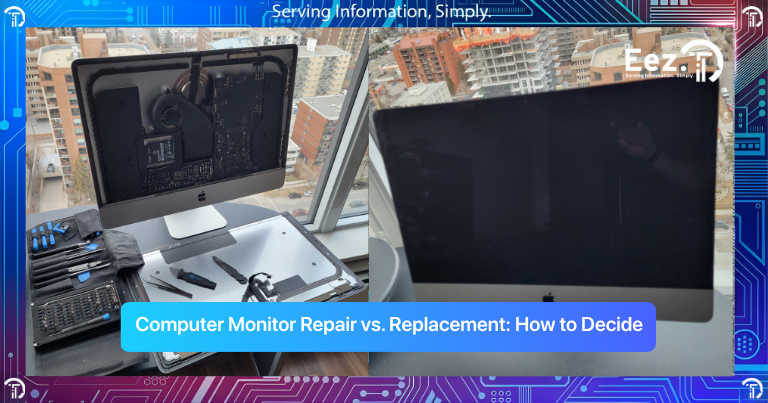
A computer monitor is one of the most important elements of your setup. Whether you use your computer for work, business, school, or daily tasks, a damaged or malfunctioning monitor can slow you down immediately. Many people are unsure whether they should repair their monitor or replace it completely. If you are trying to decide between Computer Monitor Repair vs. Replacement, this guide will help you understand the right choice.
In Calgary, many users face monitor issues such as flickering screens, no display, cracked panels, or color problems. The key is knowing whether the issue can be repaired or if replacement is the better long-term solution.
Understanding Computer Monitor Problems
Before deciding between Computer Monitor Repair vs. Replacement, it is important to understand the types of monitor problems that commonly occur.
The following are a few of the most common monitor problems:
- Screen flickering
- No display or black screen
- Cracked or physically damaged screen
- Dead pixels or black spots
- Lines on the screen
- Dim display or brightness issues
- Color distortion
- Monitor not connecting to computer
Some of these problems are minor and can be repaired, while others may require full replacement depending on the damage and cost of repair.
What Causes Monitor Damage or Display Problems?
Monitor issues can happen for many different reasons. Sometimes the problem is with the monitor itself, and other times the issue may be related to cables, power supply, or even the computer connected to the monitor. Because display problems can have multiple causes, it is important to identify the source of the problem before deciding whether to repair or replace the monitor.
Many monitor problems develop slowly over time, while others happen suddenly after physical damage or power issues. Understanding the cause can help you avoid unnecessary replacement and choose the right solution.
Common causes include:
- Physical damage from drops, pressure on the screen, or accidental impact
- Loose or damaged display cables, such as HDMI or DisplayPort cables
- Power supply issues preventing the monitor from turning on properly
- Internal component failure, especially in older monitors
- Overheating, which can affect internal circuits and display performance
- Aging display panels, which can cause dim screens, color issues, or flickering
- Graphics card issues from the computer connected to the monitor
Sometimes the monitor may appear faulty, but the real issue could be the cable or the computer itself. That is why testing the monitor with another computer or cable is often a good first step.
Understanding the cause of the problem is very important before deciding whether to repair or replace the monitor. A proper diagnosis can help you choose the most cost-effective and practical solution.
Signs Your Monitor Can Be Repaired
Not every monitor problem means you need to buy a new monitor. Many display issues are caused by internal components, power issues, or connection problems, and these can often be fixed with professional computer monitor repair. In many cases, repairing the monitor is more affordable and faster than replacing it completely.
If the screen itself is not physically broken, there is a good chance the monitor can be repaired. The key is identifying whether the issue is related to power, internal components, or connections rather than the display panel.
Your monitor may be repairable if:
- The monitor turns on but the display flickers
- Brightness is very low but the screen is still visible
- The power light illuminates, but no display appears
- Ports or connectors are damaged
- Internal power board issues
- Loose internal connections
- The monitor turns off randomly
- Colors appear incorrect or faded
- The screen takes time to turn on
These types of issues are usually related to internal components rather than the screen panel itself. In these situations, monitor repair is often more affordable than buying a new monitor and can extend the life of your device.
A proper diagnosis can confirm whether the monitor can be repaired and help you avoid unnecessary replacement costs.
Signs You Should Replace Your Monitor Instead
Sometimes replacement is the better option, especially if the screen panel is damaged. If you’re noticing these issues, it may already be time to upgrade. For a more detailed breakdown, you can read our guide on signs it’s time to replace your computer monitor
You may need replacement if:
- The screen is cracked or shattered
- Large black spots are spreading on the screen
- Multiple lines appear across the display
- The monitor is very old
- Repair cost is close to the cost of a new monitor
- Display panel is completely damaged
In these cases, replacement is usually the better long-term solution instead of repeated repairs.
Repair vs. Replacement: How to Choose the Right Decision
When deciding between Computer Monitor Repair vs. Replacement, the decision usually depends on three things:
1. Type of Damage
If the issue is related to power, ports, or internal components, repair is often possible.
If the screen panel is broken, replacement is usually better.
2. Cost of Repair
Repair is usually worthwhile if the cost is less than half that of a new monitor. If the repair cost is very high, replacement may be better.
3. Age of the Monitor
If the monitor is very old, replacing it may be more cost-effective than repairing it.
Making the right decision can save money and prevent future problems.
Can You Fix Monitor Problems Yourself?
Some monitor problems are simple and can be checked at home before searching for monitor repair near me.
You can try the following:
- Check power cable
- Try a different HDMI or DisplayPort cable
- Connect the monitor to another computer
- Restart the computer
- Check display settings
- Update graphics drivers
Sometimes the problem is not the monitor but the cable or the computer itself.
If these steps do not fix the issue, the monitor may need professional repair.
Risks of Ignoring Monitor Problems
Ignoring monitor problems can lead to bigger issues later.
Here are some risks:
- Display problems may get worse over time
- Eye strain from flickering or dim screen
- Reduced productivity
- Complete monitor failure
- Possible damage to internal components
Fixing the issue early helps avoid sudden monitor failure and unnecessary replacement costs.
How EEZIT Helps with Monitor Repair in Calgary
If you are unsure whether to repair or replace your monitor, professional diagnostics can help you make the right decision.
EEZIT provides computer monitor repair and troubleshooting services in Calgary for both home users and businesses. Instead of guessing the problem, proper testing helps identify whether repair is possible or replacement is the better option.
EEZIT helps by providing:
- Fast response and diagnostics
- Local Calgary support
- Professional troubleshooting
- Honest advice on repair vs replacement
- Reliable monitor fixing and repair solutions
- Support for both home and office setups
The goal is to help you make the most cost-effective and practical decision for your setup.
How to Prevent Monitor Problems
Monitor problems can often be prevented with proper care and setup.
Here are some simple tips:
- Do not press or touch the screen
- Use surge protectors
- Avoid overheating and poor ventilation
- Use good quality cables
- Switch off the monitor while not in use.
- Keep liquids away from the monitor
- Clean the screen carefully
Taking care of your monitor can help it last many years without issues.
When Should You Seek Professional Help?
You should consider professional monitor repair if:
- The monitor does not turn on
- The screen flickers continuously
- There are lines or black spots on the screen
- Ports are damaged
- The display is very dim
- You’re not sure if you should replace or fix
At this stage, searching for monitor repair near me and getting a professional diagnosis is the best step.
Frequently Asked Questions
1. Can computer monitors be repaired?
Yes, many monitor problems such as power issues, port problems, and internal component issues can be repaired.
2. Is it cheaper to repair or replace a monitor?
It depends on the damage. If the screen panel is broken, replacement is usually better. If the issue is internal components, repair may be cheaper.
3. What causes monitor screens to flicker?
Flickering can be caused by cable issues, graphics driver problems, or internal monitor components.
4. How long do computer monitors last?
Most monitors last between 5–8 years depending on usage and care.
5. Can a cracked monitor screen be repaired?
Usually, cracked screens require full screen replacement, which may not always be cost-effective.
6. How do I know if my monitor or computer is the problem?
You can test the monitor on another computer or try a different cable to identify the issue.
7. Where can I find monitor repair in Calgary?
You can contact EEZIT for computer monitor repair and troubleshooting services in Calgary.
Conclusion
Deciding between Computer Monitor Repair vs. Replacement depends on the type of damage, cost of repair, and age of the monitor. Some problems can be repaired easily and affordably, while others require replacement.
Understanding the problem early, checking simple fixes, and getting professional advice can help you make the right decision and avoid unnecessary expenses.
If your monitor is not working properly, fixing the issue early can save money and prevent work interruptions.
Get Help Today
Contact EEZIT today for fast and reliable computer monitor repair and IT support in Calgary. Get professional help to repair or replace your monitor the right way.