

Microsoft 365 Support Services for Calgary Businesses
Modern businesses rely on Microsoft 365 for communication, collaboration, and secure access to company resources. Through reliable Microsoft 365 support in Calgary, we design, migrate, and secure Microsoft environments with a structured approach to identity management, device integration, and long-term stability.

- Home
- Business Services
- Microsoft 365 Solution Calgary
What Is Microsoft 365 & Identity Management?
Microsoft 365 is a cloud platform that provides businesses with tools for email, collaboration, file sharing, and secure access to company systems. When properly configured, it allows employees to work from any location while maintaining secure access to business resources.
Identity solutions control how users access company systems and data. By managing authentication, permissions, and user accounts, businesses can ensure only authorized employees have access to sensitive information.
Through structured Microsoft 365 support in Calgary, organizations can securely configure their Microsoft environments, manage user identities, and maintain reliable access to applications, emails, and shared resources.

Services Included In Microsoft 365 & Identity Solution
Microsoft 365 Migrations
Migrating to Microsoft 365 requires careful planning to prevent downtime, data loss, or misconfigured accounts. Many organizations experience problems when mailboxes, domains, or user identities are moved without a structured migration process. Our team provides professional Microsoft 365 migration for Calgary businesses to transition their systems safely and efficiently.
We handle migrations from Google Workspace, legacy Exchange environments, and GoDaddy-managed tenants into properly structured Microsoft 365 environments. During the process, user accounts, email data, permissions, and domain settings are reviewed and transferred methodically to ensure business operations continue without disruption.
For organizations planning an Office 365 migration in Calgary, we focus on accurate tenant configuration, proper licensing alignment, and secure setup so the new Microsoft environment supports both collaboration and long-term security.

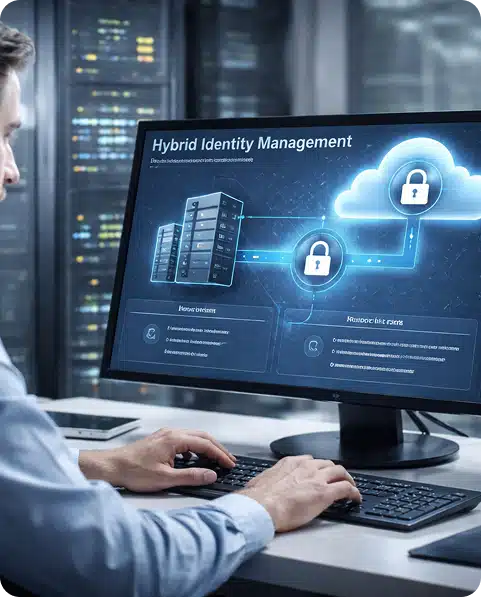
Hybrid AD & Entra ID Integration
Identity management plays a critical role in maintaining secure access to business systems and applications. Misconfigured directory synchronization, outdated user structures, or inconsistent access controls can lead to login issues, security gaps, and operational inefficiencies. Our team provides structured Azure AD consulting that Calgary organizations rely on to build stable and secure authentication environments.
We configure hybrid environments that connect on-premises Active Directory with Microsoft Entra ID, ensuring user identities remain synchronized and protected across both cloud and internal systems. Where needed, we implement SSO configuration in Calgary using solutions such as Okta or Duo to enable centralized authentication across multiple business applications. Access policies, authentication methods, and directory structures are carefully reviewed to improve security and simplify user management.
For Calgary organizations operating hybrid infrastructures, we focus on secure identity management, reliable synchronization, and clearly defined access controls that support both internal operations and remote workforce access.
Intune Device Management
As organizations adopt hybrid and remote work environments, centralized device management becomes essential to maintain security and operational stability. Without proper oversight, devices can fall out of compliance, miss critical updates, or expose sensitive business data. Our services provide structured Intune device management Calgary businesses rely on to maintain secure and consistent device environments.
We configure Microsoft Intune to manage device enrollment, enforce security policies, and apply standardized configurations across company-owned and authorized personal devices. Encryption requirements, update policies, and compliance rules are implemented to ensure systems remain protected while minimizing disruption for users. Through effective mobile device management Calgary, organizations gain visibility and control over endpoints connected to their Microsoft environment.
For Calgary businesses using Microsoft 365, our approach focuses on building secure and well-managed device ecosystems that support mobility, compliance, and administrative control.

SharePoint & Teams Architecture
Collaboration platforms must be configured carefully to support productivity while maintaining proper data security. Poorly organized SharePoint sites or incorrectly configured Microsoft Teams environments can create permission conflicts, scattered documents, and confusion across departments. Our services include professional SharePoint setup in Calgary organizations rely on to create structured collaboration environments.
We design SharePoint sites, document libraries, and workspaces aligned with business roles and operational workflows. Through structured Microsoft Teams configuration in Calgary, we ensure communication channels, file access, and permissions are properly organized to support efficient teamwork.
For Calgary organizations implementing or restructuring Microsoft 365 collaboration tools, our approach emphasizes governance, clear structure, and long-term scalability instead of temporary or ad-hoc configurations.

Secure Email Configuration
Email is one of the most common entry points for cyber threats. Without proper protection, phishing attempts, unauthorized access, or data leaks can disrupt business operations and expose sensitive information. Our team provides professional secure email configuration Calgary businesses rely on to strengthen protection while maintaining reliable communication.
We configure Microsoft 365 and Google Workspace security settings, including authentication protocols, anti-phishing protections, and account verification policies. Domain authentication is also reviewed through SPF DKIM DMARC Calgary configuration to ensure emails are properly validated and to reduce the risk of spoofing or impersonation attacks.
For organizations seeking stronger protection, our services also include Microsoft 365 email security Calgary practices designed to create a secure and dependable email environment for daily business communication.

How Our Microsoft 365 Support Services Work
Step 1:
Assessment & Planning
We review your current Microsoft environment, identity setup, and business requirements to design a secure Microsoft 365 deployment strategy.
Step 2:
Microsoft 365 Setup & Configuration
Our specialists configure Microsoft 365, migrate data if required, and establish secure user access and permissions.
Step 3:
Identity Security & Access Monitoring
We implement authentication policies, multi-factor security, and identity protection to ensure secure access to business systems.
Step 4:
Ongoing Management & Optimization
We provide ongoing Microsoft 365 support, updates, and improvements to maintain security, performance, and scalability.
Why Businesses Choose EEZIT for Microsoft 365 Services
EEZIT delivers reliable Microsoft 365 support Calgary businesses trust to maintain secure communication, collaboration, and identity management systems. Our team ensures Microsoft environments are properly configured, protected, and continuously optimized so employees can work safely and efficiently from any location.
- Secure Microsoft 365 setup and identity protection
- Expert configuration of users, permissions, and access controls
- Proactive monitoring and system maintenance
- Clear communication and dependable IT support
- Scalable solutions that grow with your business
- Enhanced protection through modern identity management

Frequently Asked Question
EezIT provides professional IT and computer services built on accountability, security, and operational stability. We support residential and business clients across Calgary and Edmonton with structured service processes and transparent communication. For reliable technical support tailored to your needs, please contact our team at your convenience.
What is Microsoft 365 support?
Microsoft 365 support helps businesses set up, manage, and secure their Microsoft cloud environment. It includes services such as user account management, email configuration, identity security, device management, and ongoing troubleshooting to keep Microsoft systems operating reliably.
How does Microsoft 365 migration work?
Microsoft 365 migration involves transferring email accounts, files, and user data from existing platforms such as Google Workspace or legacy Exchange servers into a Microsoft 365 environment. The process includes data transfer, user configuration, domain setup, and testing to ensure business operations continue without disruption.
What is identity management in Microsoft 365?
Identity management controls how users access company systems and applications. It involves managing user accounts, authentication methods, permissions, and security policies to ensure only authorized individuals can access business data and resources.
Why do businesses use Microsoft 365 for collaboration?
Resolution time depends on the complexity of the issue. Many problems can be diagnosed and resolved quickly, while more complex system or network issues may require additional troubleshooting to fully restore functionality.
Need Our Services?
Contact Us for your Custom Plan
Message Us
Our Clients Trust Us Because We Deliver Results.
EXCELLENT Based on 107 reviews
 Posted on Google
 Stephen DobieWe needed a much more skilled service provider to install equipment and improve WiFi through our home. Chip was exceptionally professional and patient, working with Rogers technical to work out the install and set up. Incredible difference after the work. Thanks Chip. Steve D CalgaryPosted on Google
 Harry EttingerThe project as done on time as anticipated by Chip. All seems to be working much better since the work was done.Posted on Google
 Mark GGood work done way faster than I initially thoughtPosted on Google
 Brooke TrotterVery professional and quickPosted on Google
 John LChip was a wealth of knowledge. We called him to resolve a simple printing issue, but we ended up having him fix a miriad of other issues such as our network slowdown and upgrading an older system we had kicking around.Posted on Google
 Jane PrescotFantastic in-home service. Chip brought new life to our two old, failing computers. We thought we would have to get new computers since Microsoft told us we couldn't upgrade them to Windows 11 but Chip installed a new component into each of them and installed Windows 11. He also put a new battery in my 8-year old Dell laptop. Both computers are running like new. Thanks Chip!Posted on Google
 TJ RedversThey were so quick to be available, took time with me and my devices, and were very informative and helpful when it came to my laptop questions and needs!Posted on Google
 Aurora A.Thanks to Mark for making my computer screen look brand new after I had an accident with it. My laptop works perfectly and I couldn't be happier to not have to buy a new one. Mark was also professional and pleasant to deal with. Will be coming to these guys for my computer and IT needs from now on!Posted on Google
 Justin KhunkhunMark was efficient, professional, and knowledgable. I will be calling him and eezit back again for home networking assistance.Posted on Google
 Robert MarkleDid a very good job cleaning up email problems in Outlook on my Macbook. Was patient and thorough explaining what was being done and why. Fixed all the problems I was experiencing.Verified by TrustindexTrustindex verified badge is the Universal Symbol of Trust. Only the greatest companies can get the verified badge who has a review score above 4.5, based on customer reviews over the past 12 months. Read more
EezIT Onsite Computer & IT Services in Calgary and Edmonton
Reliable tech help, right at your location
Our onsite computer and IT services support homes and businesses across Calgary and Edmonton. From fast computer repair and network troubleshooting to reliable IT support, our experienced IT service technicians deliver dependable, same-day solutions whenever possible.
For locations outside city limits, travel fees may apply.