

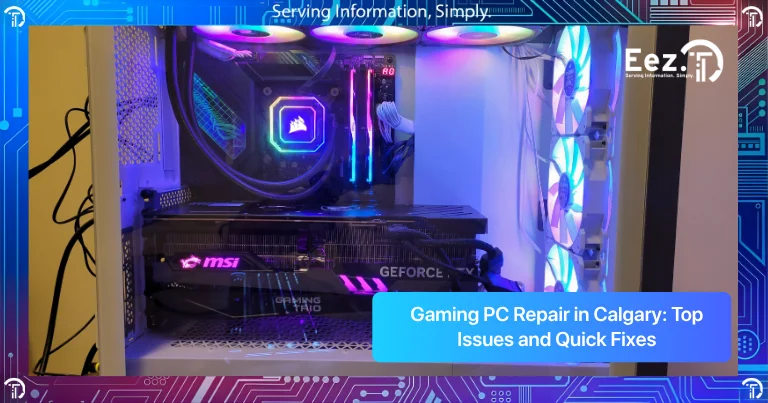
Gaming PCs are built for performance, but when something goes wrong, the experience quickly becomes frustrating. Slow performance, overheating, crashes, or graphics problems can make gaming impossible. Many users start searching for Gaming PC Repair in Calgary when their system no longer runs games smoothly or starts shutting down during gameplay.
Gaming computers are more powerful than regular computers, but they also work harder and generate more heat. Because of this, they can develop specific issues that need proper diagnosis and repair. This guide explains common gaming PC problems, what causes them, quick fixes you can try, and when to seek professional help in Calgary.
Common Gaming PC Problems Gamers Face
Gaming computers are built for high performance, but they also experience more stress than standard computers. They run powerful graphics cards, high-speed processors, and demanding games for long periods of time. Because of this, gaming PCs can develop hardware and performance issues faster if they are not properly maintained. Small performance problems often appear first, and if ignored, they can turn into larger hardware failures.
Some of the most common gaming PC problems include:
- Overheating during gaming
- Low FPS or poor game performance
- PC crashing while gaming
- Graphics card issues
- Computer shutting down suddenly
- Loud fan noise
- Power supply problems
- RAM or storage issues
- System freezing or lag
Many of these issues are related to heat, dust buildup, outdated drivers, or aging hardware components. For example, overheating can reduce performance and cause crashes, while storage or RAM issues can make games load slowly or freeze.
These issues can appear slowly or suddenly depending on the cause. Identifying the problem early is very important because it can help prevent hardware damage, improve performance, and avoid expensive repairs later.
Why Do Gaming PCs Develop Problems?
Most gaming computer issues happen due to heavy usage, heat, or hardware stress. Gaming PCs run demanding programs that push components like the GPU, CPU, and RAM to their limits.
Common causes include:
- Dust buildup blocking airflow and causing overheating
- Overheating GPU or CPU during gaming
- Outdated graphics drivers causing performance issues
- Insufficient RAM or storage
- Power supply not providing enough power
- Old or failing graphics card
- Improper cooling system
- difference between custom and prebuilt PCs
Gaming PCs require proper cooling and maintenance. Without maintenance, heat and dust can damage internal components.
Another important factor that many users overlook is how the system was built in the first place. The quality of components, airflow design, and overall configuration can vary significantly depending on whether the system is prebuilt or custom-made. If you’re unsure how this affects long-term performance and reliability, it’s helpful to understand the differences between a custom-built system and a prebuilt one. You can read more about this in our guide on custom PC vs prebuilt for gaming.
Signs Your Gaming PC Needs Repair
Gaming PCs usually show warning signs before a major hardware failure happens. Many users ignore small performance problems at first, but these early signs often indicate overheating, hardware stress, or component failure. Recognizing these symptoms early can help prevent serious hardware damage and expensive repairs.
Common signs include:
- FPS drops during games
- PC freezes while gaming
- Computer shuts down during heavy use
- Loud fan noise
- High temperatures
- Screen artifacts or graphics glitches
- Blue screen errors
- Games crashing frequently
- Slow loading times
You may also notice that your computer becomes very hot, games start lagging even on low settings, or the system restarts without warning. These are clear signs that something is not working properly inside the computer.
If you notice these issues regularly, it may be time to look for gaming pc repair calgary instead of continuing to use the system in poor condition. Fixing the problem early can protect expensive components like the graphics card and processor and help your gaming PC run smoothly again.
Quick Fixes You Can Try Before Repair
Before searching for gaming computer repairs near me, there are some simple fixes you can try.
Basic Troubleshooting Steps
- Restart your computer
- Update graphics drivers
- Check game settings and reduce graphics settings
- Clean dust from fans and vents
- Make sure fans are working properly
- Check temperatures using monitoring software
- Update Windows and system drivers
- Close background applications
These steps can solve many performance issues and improve gaming performance.
Hardware Problems That Require Professional Gaming PC Repair
Some gaming PC problems are hardware-related and require professional repair or replacement.
Common hardware repairs include:
- Graphics card repair or replacement
- Power supply replacement
- CPU overheating repair
- Cooling system installation or repair
- RAM upgrades
- SSD or storage replacement
- Motherboard repair
- Data recovery
Professional Gaming PC Repair in Calgary ensures the correct parts are installed and the system is tested for performance and stability.
Risks of Ignoring Gaming PC Problems
Ignoring gaming PC problems can lead to more serious damage and much higher repair costs over time. Many users continue using their computer even when they notice overheating, crashes, or performance issues, but this can put extra stress on important hardware components. What starts as a small issue can quickly turn into a major hardware failure if it is not fixed early.
Here are some common risks of ignoring gaming PC problems:
- Overheating can damage the CPU or GPU
- Power supply failure can damage the motherboard
- System crashes can cause data loss
- Performance issues can get worse over time
- Hardware components may fail completely
- Fans running constantly can wear out cooling systems
- Storage drives can fail if the system crashes frequently
For example, if a gaming PC overheats regularly, it can reduce the lifespan of the graphics card and processor. If the power supply becomes unstable, it can damage multiple components at once. These types of repairs are usually more expensive than fixing the problem early.
Fixing problems early helps protect expensive gaming components, improves system performance, and extends the life of your gaming PC. Regular maintenance and early repairs can save both time and money in the long run.
How EEZIT Helps with Gaming PC Repair in Calgary
When your gaming PC is not performing properly, proper diagnostics are very important. Gaming systems have multiple components, and the problem may not always be obvious.
EEZIT provides Gaming PC Repair in Calgary for gamers, home users, and small businesses that use high-performance computers. The focus is on identifying the exact problem and fixing it properly so the system runs smoothly again.
EEZIT helps by providing:
- Fast diagnostics and troubleshooting
- Local Calgary support
- Hardware repair and upgrades
- Cooling and overheating solutions
- Performance optimization
- Clear communication and repair recommendations
Proper repair and maintenance can improve gaming performance and extend the life of your gaming computer.
How to Prevent Gaming PC Problems
Regular maintenance can help prevent gaming PC problems and improve performance.
Here are some tips:
- Clean dust from your PC regularly
- Keep your PC in a ventilated area
- Monitor CPU and GPU temperatures
- Update graphics drivers regularly
- Do not ignore overheating
- Upgrade RAM or storage when needed
- Use a reliable power supply
- Install proper cooling systems
Preventive maintenance helps your gaming PC run faster and last longer.
When Should You Seek Professional Gaming PC Repair?
You should consider professional Gaming PC Repair in Calgary if:
- Your PC shuts down during gaming
- You see graphics glitches or artifacts
- Your PC overheats regularly
- Games crash frequently
- Your PC is very slow
- Hardware upgrades are needed
- DIY fixes did not work
At this point, getting professional gaming computer repairs near me is the safest option to prevent further damage.
Frequently Asked Questions
1. What are the most common gaming PC problems?
Common issues include overheating, low FPS, crashes, graphics card problems, and power supply issues.
2. Why does my gaming PC overheat?
Overheating is usually caused by dust buildup, poor airflow, or failing cooling systems.
3. Can I repair my gaming PC myself?
You can fix software issues and clean dust, but hardware repairs should be handled by professionals.
4. Why do games crash on my PC?
Games crash due to overheating, outdated drivers, insufficient RAM, or graphics card issues.
5. How often should I clean my gaming PC?
You should clean dust from your PC every 3–6 months to prevent overheating.
6. Is it worth repairing a gaming PC?
Yes, gaming PCs are expensive, and repairing or upgrading components is often cheaper than replacing the entire system.
7. Where can I find Gaming PC Repair in Calgary?
You can contact EEZIT for professional Gaming PC Repair in Calgary and gaming computer repair services.
Conclusion
Gaming PCs are powerful machines, but they require maintenance and proper care to perform at their best. Overheating, graphics issues, crashes, and slow performance are some of the most common gaming PC problems.
Understanding common issues, trying simple fixes, and seeking professional repair when necessary can help extend the life of your gaming PC and improve performance.
If your gaming computer is not running properly, fixing the issue early can prevent hardware damage and expensive repairs.
Get Help Today
Contact EEZIT today for fast and reliable Gaming PC Repair in Calgary. Get your gaming computer running at peak performance with professional repair and support.