

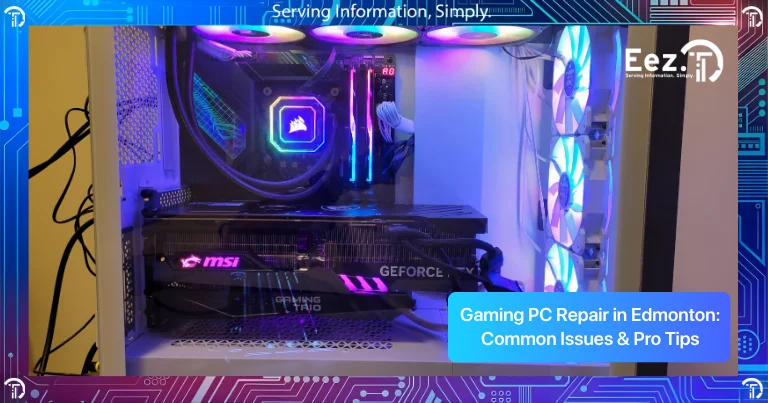
Gaming PCs are powerful machines designed for performance, speed, and graphics, but they also work harder than regular computers. Over time, heavy usage, heat, and hardware stress can cause performance issues or hardware failures. Many gamers start searching for Gaming PC Repair in Edmonton when their system starts lagging, overheating, crashing, or not running games smoothly anymore.
Gaming computers are made up of multiple high-performance components like graphics cards, processors, cooling systems, and power supplies. If one component starts failing, the entire system performance can drop. This guide explains common gaming PC problems, what causes them, warning signs to watch for, repair options, and tips to keep your gaming computer running smoothly.
Common Gaming PC Problems Users Experience
Gaming PCs are built for high performance, but they also work much harder than regular computers. Running modern games at high graphics settings, streaming, and long gaming sessions can put a lot of stress on internal components like the graphics card, processor, cooling system, and power supply. Because of this heavy workload, gaming computers often develop performance or hardware problems over time if they are not properly maintained.
Some of the most common gaming PC problems include:
- Overheating during gaming
- Low FPS or poor game performance
- PC crashing while gaming
- Graphics card issues
- Computer shutting down suddenly
- Loud fan noise
- Power supply problems
- RAM or storage issues
- System freezing or lag
- Games taking too long to load
For example, overheating is one of the most common gaming PC issues and is usually caused by dust buildup or poor airflow inside the computer. Low FPS can be caused by outdated graphics drivers, insufficient RAM, or storage problems. Random shutdowns often point to overheating or power supply issues, while slow loading times usually mean the storage drive is getting old or too full.
Many of these issues start as small performance drops but gradually become serious hardware problems if they are not fixed early. A computer that overheats regularly can damage the graphics card or processor, and a failing power supply can damage other components. Early repair, cleaning, and maintenance can help prevent expensive component replacement and keep your gaming PC running smoothly.
What Causes Gaming PC Problems?
Most gaming PC problems are caused by heat, dust, outdated drivers, or hardware stress. Gaming computers run powerful components that generate heat, and if cooling is not working properly, performance drops and components may fail.
Common causes include:
- Dust buildup blocking airflow
- Overheating GPU or CPU
- Outdated graphics drivers
- Insufficient RAM
- Full or slow storage drive
- Power supply not providing enough power
- Old graphics card
- Poor cooling system
- Running games at very high settings constantly
Regular cleaning, updates, and maintenance can prevent many of these problems and improve gaming performance.
Warning Signs Your Gaming PC Needs Repair
Gaming PCs often show warning signs before major hardware failure happens. Recognizing these signs early can help prevent expensive damage and system failure.
Common warning signs include:
- FPS drops during games
- PC freezes while gaming
- Computer shuts down during heavy use
- Loud fan noise
- High temperatures
- Screen artifacts or graphics glitches
- Blue screen errors
- Games crashing frequently
- Slow loading times
- PC restarting automatically
If you notice these issues regularly, you may need gaming pc repair Edmonton before the problem becomes more serious and damages expensive components like the graphics card or processor.
DIY Fixes You Can Try Before Gaming PC Repair
Before taking your computer for pc repair Edmonton, there are some basic troubleshooting steps you can try to fix common gaming PC problems. Many performance issues are caused by overheating, outdated drivers, full storage, or background programs using system resources. These small issues can often be fixed without replacing any hardware.
Trying a few simple fixes first can save time and money, and sometimes your gaming PC may start running smoothly again after basic maintenance and updates.
Here are a few easy solutions to try:
- Restart your computer
- Update graphics drivers
- Lower game graphics settings
- Clean dust from fans and vents
- Check CPU and GPU temperatures
- Close background applications
- Update Windows and system drivers
- Check storage space
- Make sure fans are working properly
- Scan for viruses or malware
- Check power supply cables and connections
For example, cleaning dust from the fans can reduce overheating, updating graphics drivers can improve game performance, and freeing up storage space can reduce lag and slow loading times. Many gaming performance problems are related to heat, storage, or outdated software rather than broken hardware.
These basic steps can fix many performance problems and improve gaming performance without needing hardware repair. However, if the computer still overheats, crashes, or performs poorly after these steps, it may be time to consider professional gaming pc repair edmonton services.
Professional Gaming PC Repair Solutions
If basic troubleshooting does not fix the issue, professional repair may be required. Gaming computers contain expensive components, so proper diagnosis is very important before replacing parts.
Professional gaming PC repair services may include:
- Graphics card repair or replacement
- Power supply replacement
- Cooling system repair or upgrade
- RAM upgrades
- SSD or storage upgrades
- Motherboard repair
- System optimization and performance tuning
- Data recovery
- Overheating repair and internal cleaning
Professional Gaming PC Repair in Edmonton ensures that the correct problem is identified and fixed properly, preventing unnecessary part replacement.
If you’re located outside Edmonton or looking for nearby service options, you can also explore our Gaming PC Repair in Calgary services for professional diagnostics, hardware repair, and performance optimization.
Risks of Ignoring Gaming PC Problems
Ignoring gaming PC problems can lead to serious hardware damage and higher repair costs. Many users continue using their PC even when it overheats or crashes, which can damage internal components.
Risks of ignoring gaming PC issues include:
- Overheating damaging CPU or GPU
- Power supply failure damaging motherboard
- System crashes causing data loss
- Performance getting worse over time
- Graphics card failure
- Storage drive failure
- Complete system shutdown
Fixing problems early helps protect expensive gaming components and extend the life of your gaming PC.
How EEZIT Helps with Gaming PC Repair in Edmonton
Gaming computers require proper troubleshooting because performance issues can come from multiple components. Without proper diagnosis, users often replace parts that are not actually causing the problem.
EEZIT provides Gaming PC Repair in Edmonton for gamers, home users, and businesses that use high-performance computers. The goal is to identify the exact problem and repair the system so it runs smoothly again.
EEZIT helps by providing:
- Fast diagnostics and troubleshooting
- Local Edmonton support
- Hardware repair and upgrades
- Cooling and overheating solutions
- Performance optimization
- Data recovery services
- Clear communication and repair recommendations
Professional repair ensures your gaming PC performs properly and runs games smoothly without crashes or overheating.
How to Maintain the Smooth Operation of Your Gaming Pc
Regular maintenance can help prevent gaming PC problems and improve performance.
Here are some useful tips:
- Clean dust from your PC every few months
- Keep your PC in a ventilated area
- Monitor CPU and GPU temperatures
- Update graphics drivers regularly
- Do not ignore overheating
- Upgrade RAM or storage when needed
- Use a reliable power supply
- Install proper cooling systems
- Avoid running your PC at very high temperatures
Preventive maintenance helps your gaming PC last longer and perform better.
When Should You Seek Professional Gaming PC Repair?
You should consider professional Gaming PC Repair in Edmonton if:
- Your PC shuts down during gaming
- You see graphics glitches or artifacts
- Your PC overheats regularly
- Games crash frequently
- Your PC is very slow
- Hardware upgrades are needed
- DIY fixes did not work
- Your PC does not turn on
Professional repair can prevent further damage and restore your gaming PC performance.
Frequently Asked Questions
1. What are the most frequent issues with gaming PCs?
Common issues include overheating, low FPS, crashes, graphics card problems, and power supply issues.
2. Why does my gaming PC overheat?
The most common causes of overheating are dust accumulation, inadequate airflow, or malfunctioning cooling systems.
3. Can I repair my gaming PC myself?
You can fix software issues and clean dust, but hardware repairs should be handled by professionals.
4. Why do games crash on my PC?
Games crash due to overheating, outdated drivers, insufficient RAM, or graphics card issues.
5. How often should I clean my gaming PC?
You should clean dust from your PC every 3–6 months to prevent overheating.
6. Is it worth repairing a gaming PC?
Yes, gaming PCs are expensive, and repairing or upgrading components is often cheaper than replacing the entire system.
7. Where can I find Gaming PC Repair in Edmonton?
You can contact EEZIT for professional Gaming PC Repair in Edmonton and gaming computer repair services.
Conclusion
Gaming PCs are powerful systems, but they require proper maintenance and care to perform at their best. Overheating, graphics issues, crashes, and slow performance are some of the most common gaming PC problems. Understanding the causes, warning signs, and repair options can help you fix problems early and avoid expensive hardware damage.
Regular maintenance, proper cooling, and timely repairs can extend the life of your gaming computer and improve gaming performance. If your gaming PC is not running properly, professional repair can help restore performance and prevent future issues.
Contact EEZIT Today
Contact EEZIT today for fast and reliable Gaming PC Repair in Edmonton and get professional support to keep your gaming computer running smoothly and performing at its best.